OB-GYN office phone systems
Pregnancy concerns reach a nurse fast, routine scheduling waits its turn, and reminder texts never say more than they should.
The short answer
What does an OB-GYN practice need from its phone system?
A fast path for pregnant patients with a concern, kept apart from routine scheduling. Queues for appointments, results and billing. A line hospitals and referring offices can use without the patient menu. Fax for records, texts that protect privacy, and after-hours calls that reach the on-call provider. Women’s health practices are the largest group of offices Meretech supports in Miami-Dade, Broward and Palm Beach.
How calls move
How a call moves through an OB‑GYN practice
Pregnancy concerns go to the front of the line. Routine calls wait their turn, and hospitals skip the patient menu.
- Pregnant with a concernNurse lineRings ahead of routine calls, on-call provider after hours
- Appointments and ultrasoundsScheduling queuesEach rings the staff who handle it
- Labor and delivery, referring officesHospital lineIts own number or option, no patient menu
- Hours, locations, insuranceAI receptionistAnswers from your FAQs, transfers anything clinical
The problem
Where the phones break down in a women’s health practice
A patient at 34 weeks with a concern waits on hold behind someone moving an annual exam.
Labor and delivery units and referring offices sit in the same menu as patients.
Results questions pile up in one voicemail box until a nurse has time to listen.
Reminder texts name the visit, and family members read them on a lock screen.
After closing, reaching the on-call provider depends on a number written down at the front desk.
How we set it up
How we set up an OB-GYN practice
Your call flow, programmed before go-live and changeable from the app afterward.
A priority option for pregnancy concerns
“If you are pregnant and have a concern, press 1.” That option rings the nurse line first, ahead of routine calls, and goes to the on-call provider after hours. Your medical director approves the wording.
Separate queues for everything else
Scheduling, ultrasound and procedures, results questions and billing each ring the staff who handle them, with hold messages that tell patients what to have ready.
A line for hospitals and referring offices
Labor and delivery units, labs and referring physicians get their own number or option, so they skip the patient menu and reach a person.
Fax that lands with the right person
Records, referrals and hospital paperwork arrive in the app for the coordinator who handles them. Keep your fax number, or your machine with an adapter.
Private texts from the practice number
Staff text patients from the office number, with 500 texts per user each month. We write reminder templates that leave out the visit type.
AI receptionist for routine questions
Hours, locations, parking, insurance and what to bring, answered from your own FAQs. Anything about a pregnancy is warm-transferred to a person.
How the AI receptionist works
When a pregnant patient calls with a concern
The AI receptionist doesn’t triage and doesn’t give medical advice. We set it to say it’s an automated assistant, tell callers with an emergency to dial 911, and hand pregnancy concerns to the nurse line. It also passes callers to a person when it hears urgency. We test every transfer with your staff before go-live.
PatientHi, I’m 32 weeks and I’ve had cramping since this morning.
AI receptionistI’m the practice’s automated assistant, so I can’t give medical advice. If this is an emergency, hang up and call 911. I’m connecting you to the nurse line now.
Transferred to Nurse line
Patient apps
From the first call to payment
Optional apps connect the phones to the EHR or practice management system you already use, with 15+ systems supported. Less retyping and chasing at the front desk.
- Connect
Know who’s calling
Screen pop shows the patient, their household, primary provider, upcoming appointments and recent visits. It’s pulled live and not stored on the phone system.
- Schedule
Book and reschedule
Online booking with live openings on your website and Google, a waitlist that fills cancellations, and recall links with real availability.
- Prepare
Digital intake forms
Patients fill forms before the visit, and the answers sync back to their record.
- Verify
Confirm coverage
Insurance eligibility checks run automatically, so staff see coverage before the patient arrives.
- Follow up
Reminders that think
Confirmations, recalls and review requests by appointment type, and two-way texting from the office number. Patients who already confirmed don’t get another reminder.
- Pay
Easier payments
Convenient payment options and automatic payment follow-up.
Product demos
See how your team would use it
Desk phone plus the app
Click to dial, transfer and park from your screen.
The mobile app
Your business number on your cell phone.
Before you switch
Questions OB-GYN practices ask before switching
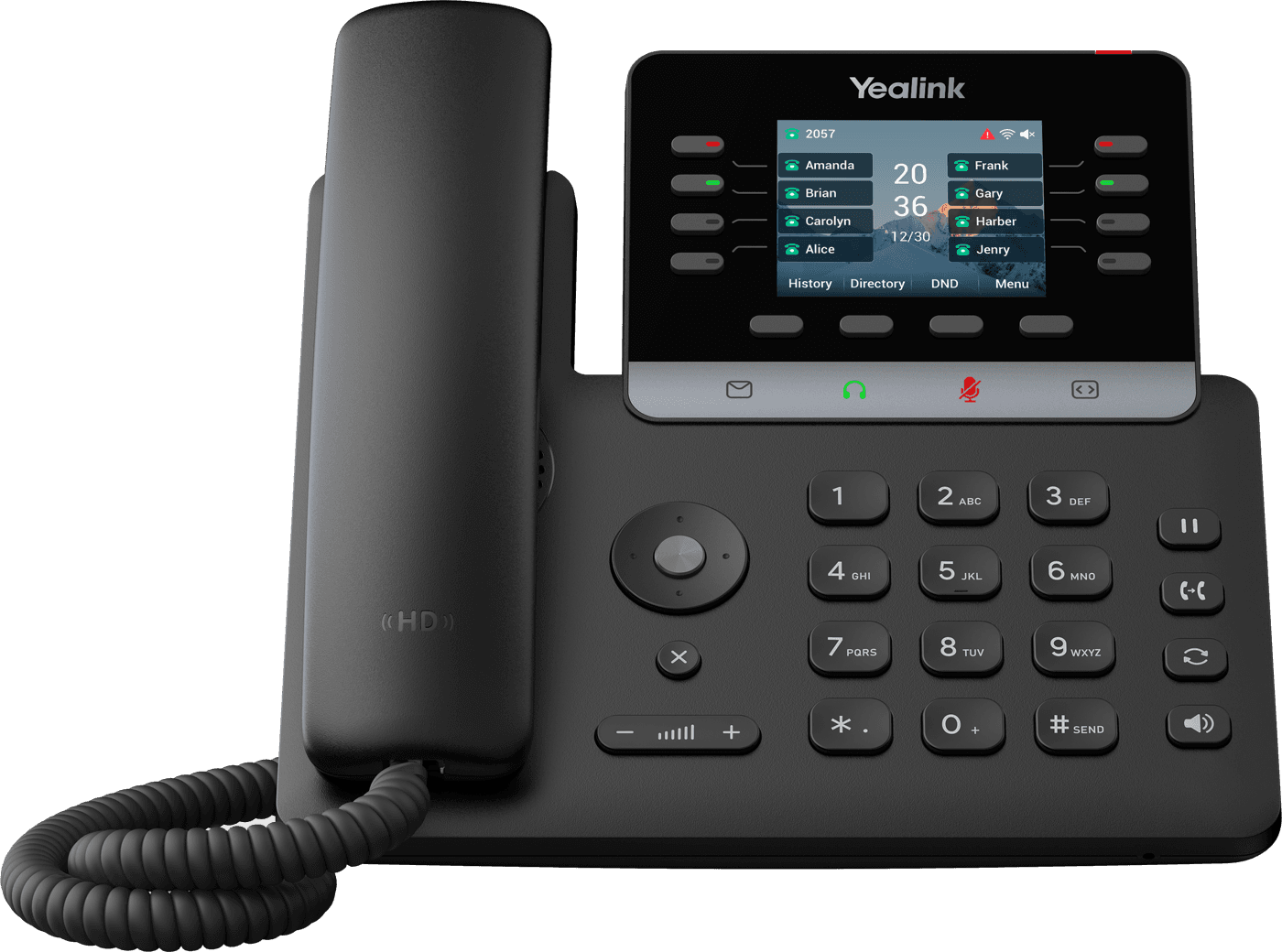
How do pregnant patients reach a nurse quickly?
We put the pregnancy option first in the menu and point it at a ring group of your nurses. If nobody picks up within the time you choose, it rolls to the next person instead of a voicemail box.
After closing, the same option goes to the on-call provider’s cell through the mobile app, or to your answering service if you keep one. You can change the wording, the order and the timing from the app, without a service call.
How do we keep texts and voicemails private?
Reminder templates confirm the time and location without naming the visit, since a lock screen is often seen by a partner or family member. Every user has their own login, and voicemails arrive as text in that user’s inbox, not on a shared machine.
Call recordings and messages can be archived with controlled access. Ask us for the BAA before you sign and check that it covers recordings, voicemail transcripts and AI call recaps, not just calling.
Can the phone system connect to our EHR?
Integrations exist for eClinicalWorks, athenahealth, NextGen and Modernizing Medicine. With supported software, the patient’s record can open on screen when they call, so the front desk greets them by name.
What each integration does depends on the software and your version, so we confirm it against your setup before you sign. Without an integration, the phone system works fully and staff look patients up the usual way.
Side by side
An OB-GYN setup vs. one shared menu
The same phone system can be set up two ways. Here’s what changes for your patients.
| Compared | OB-GYN setup from Meretech | One shared menu |
|---|---|---|
| Pregnancy concerns | Own option that rings the nurse line first | Same queue as scheduling |
| Hospitals and referring offices | Own number or option, no patient menu | The patient menu like everyone else |
| Results questions | Nurse queue, or voicemail delivered as text | One shared voicemail box |
| Reminder texts | From the practice number, without the visit type | Personal cells or a separate texting app |
| After hours | On-call provider, answering service or AI receptionist, on your schedule | Voicemail |
Switching
What switching looks like for an OB-GYN practice
- First call
Walk us through a busy morning
Who answers, how pregnancy calls are handled today, where faxes go and who is on call. Fifteen minutes, with a recent phone bill.
- Before you sign
Itemized proposal and BAA
Every user, fax line, fee and tax estimate on paper, with the BAA and security documents to review.
- While numbers port
Call flow and scripts
We program the priority option, queues, hospital line and on-call routing, and write the AI receptionist’s answers with your office manager.
- Go-live day
Cutover and training
Your numbers move over, we test the nurse and on-call transfers with your staff, and we stay on call. Billing starts 7 days after activation.
Related pages
Questions OB-GYN practices ask
Do you work with OB-GYN practices in South Florida?
Yes. Women’s health practices are the largest group of offices we support, from solo OB-GYNs to multi-provider groups, across Miami-Dade, Broward and Palm Beach. We install on site and support you directly after go-live.
Is the phone system HIPAA compliant?
Yes. The platform supports HIPAA compliance and a Business Associate Agreement (BAA) is available. Calls are encrypted, every user has their own login, and recordings and messages can be archived with controlled access. We walk you through the BAA before you sign.
Can the AI receptionist talk to pregnant patients?
It answers routine questions like hours, locations, insurance and what to bring. It doesn’t give medical advice. Pregnancy concerns, results and anything clinical are transferred to a person, and it also hands off when it hears urgency or frustration.
Can patients text the practice?
Yes, from the practice number. Each user gets 500 texts a month, and replies land in the app next to your calls. We set up reminder templates that leave out the visit type.
Can we keep our fax number?
Yes. Fax numbers move to Meretech like your voice numbers, so hospitals and referring offices keep sending to the same number. Faxes arrive in the app, or on your existing machine through an adapter.
How many phones does an OB-GYN office need?
Count the people who answer calls, not the exam rooms. Front desk, scheduling and billing staff usually want desk phones, while providers and nurses often use the mobile app on their cell. Pricing is per user, and each user can sign in on up to five devices.
Price out your practice’s phones
Tell us how many people answer phones and how pregnancy calls are handled today. You get an itemized plan, and we walk through the call flow with you.
Rather talk to sales?(305) 390-2787Build your plan