Cloud contact center for busy teams

Calls, texts, web chat, email and WhatsApp in one screen, with a live view of the queue. It runs on your Meretech phone system.

The short answer

What is a cloud contact center?

A cloud contact center is software that routes every customer conversation, whether it’s a call, text, web chat, email or WhatsApp message, to the right agent from one screen, with live numbers on how the queue is doing. Meretech Contact Center adds it to the phone system we install for Miami-Dade, Broward and Palm Beach businesses, so agents and the rest of the office share one platform.

Try the contact center yourself. Pick a business like yours and click through a real customer conversation.

Interactive demo

See how a medical clinic handles calls, texts and chats in one place.

A guided walkthrough of a fictional business. Click through the steps at your own pace.

On a phone? It works best on a laptop or tablet. Open it full screen

Product demos

See the contact center in action

  • Contact center

    Queues, chat and texting for teams on the phone.

  • Inside Microsoft Teams

    Your phone system and contact center in Teams.

The problem

Signs you’ve outgrown a regular phone system

  • Callers sit on hold and nobody can see how many are waiting.

  • Texts go to one phone, emails to a shared inbox and WhatsApp to somebody’s personal cell.

  • Agents ask for the account number twice because the customer record is in another window.

  • A supervisor hears about a bad call only when the customer complains.

  • Coaching happens from memory because there’s no transcript to look at.

How we set it up

What Meretech Contact Center includes

It’s an add-on to Meretech Cloud. We quote it for your team size and the channels you use.

  • Every channel in one screen

    Voice, web chat, SMS, email and WhatsApp in a single interface, so an agent sees the whole conversation no matter where it started.

  • Live dashboards

    Calls in queue, hold time and handle time in real time, so a supervisor can move people onto the phones before the wait gets long.

  • AI agent assist

    Real-time transcription and live sentiment while the call is happening, so agents and supervisors can tell when a call is going sideways.

  • Transcripts with sensitive details removed

    AI transcription with PHI, PII and PCI redaction, for offices that take card payments or handle patient information.

  • Self-service and the AI receptionist

    Self-service voice and chat handle simple requests without an agent, and the AI receptionist answers and routes calls at the front of the queue.

    How the AI receptionist works
  • Automated outreach

    Follow-ups and reminders go out on their own instead of someone working down a call list.

  • CRM and Microsoft Teams

    CRM integrations put the customer record next to the conversation, and the contact center can be embedded in Microsoft Teams for teams that already work there.

Inside the contact center

What your team and supervisors see

Real screens from the platform. Every conversation, every number and the notes after the call, in one place.

Contact center agent screen with a live call and caller details

Agent workspace

Every conversation in one screen

Calls, web chat, texts, email and WhatsApp land in the same window, with the caller’s details up before the agent says hello.

  • Classify each interaction for reporting
  • Call back or dial out without switching apps
  • Transfer to a person or queue in one click
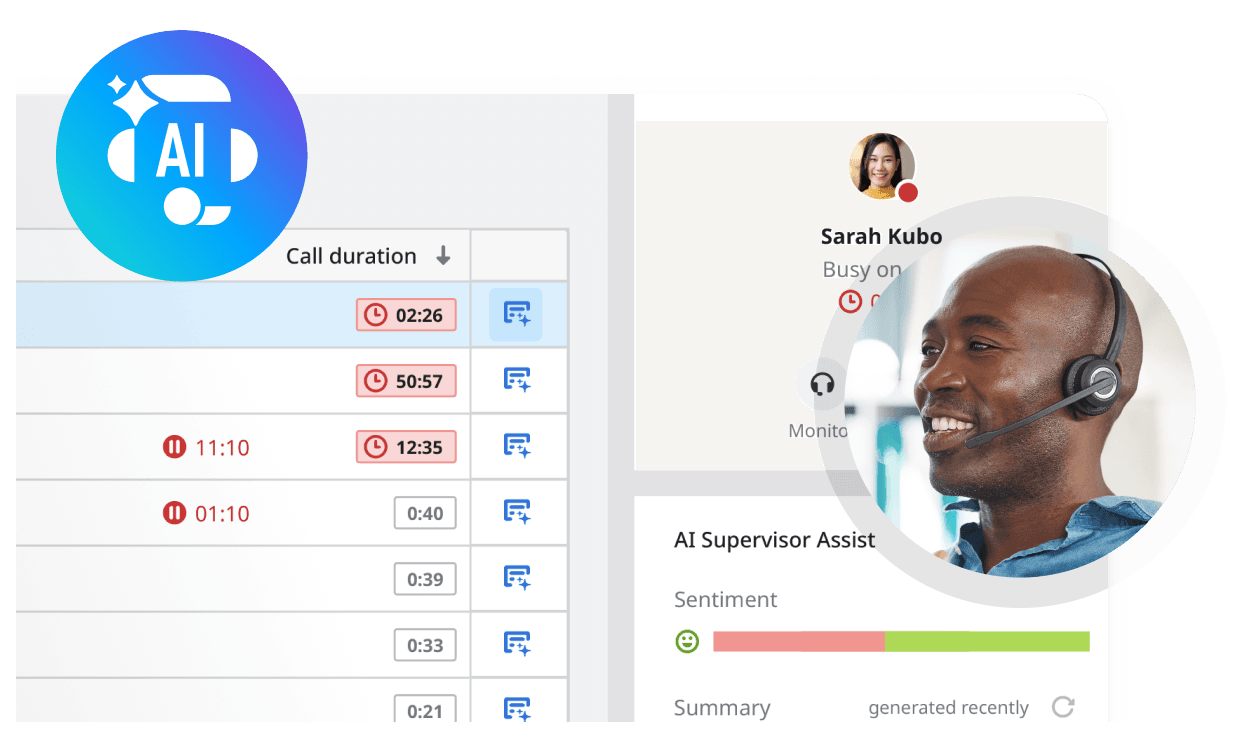
Supervisor dashboard with call durations, queue times and AI supervisor summary

Live reports

See the queue while it’s happening

Dashboards show calls waiting, hold times and handle times as they happen, so a supervisor can move people before the line backs up.

  • Listen in, whisper to the agent or join the call
  • AI Supervisor Assist flags sentiment and sums up calls
  • Historical reports for staffing and planning
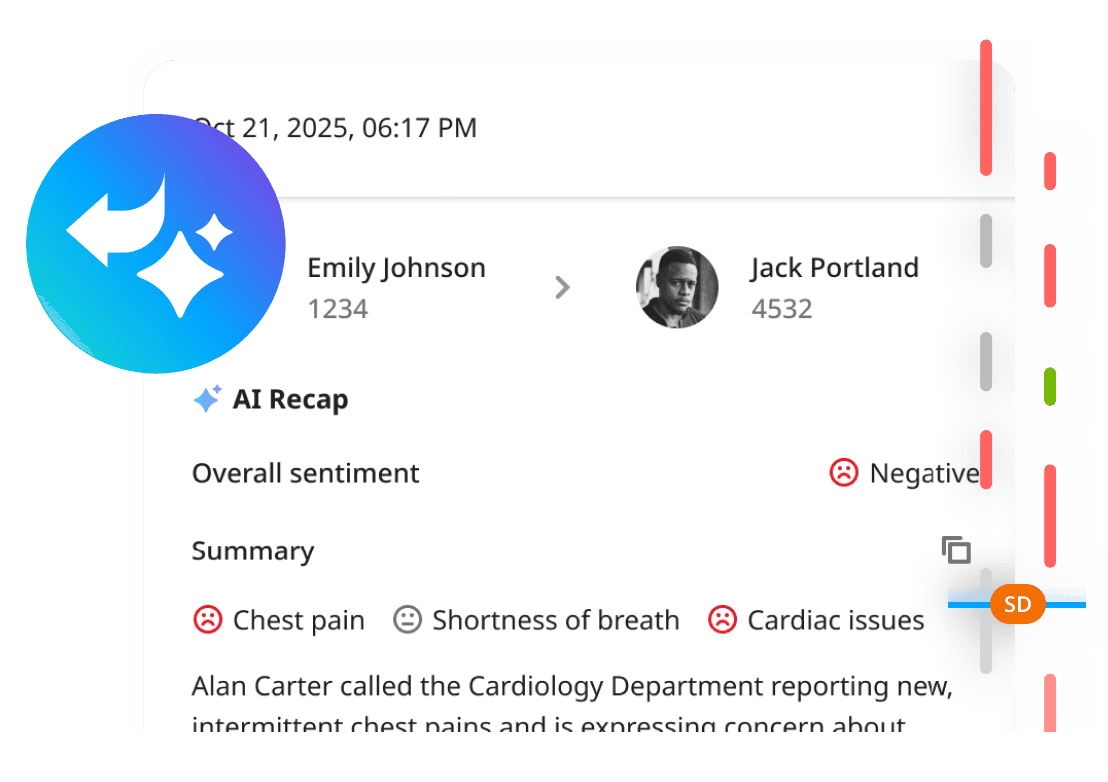
AI call recap with a summary, sentiment and key topics from a recorded call

AI call recap

Notes you don’t have to write

Recorded calls come back with a transcript, a short summary, the caller’s sentiment and the key topics, so follow-up starts from facts.

  • Works on calls you record
  • Search past calls by topic or sentiment
  • Access controlled by role, set at install

Before you switch

Contact center or a better phone system?

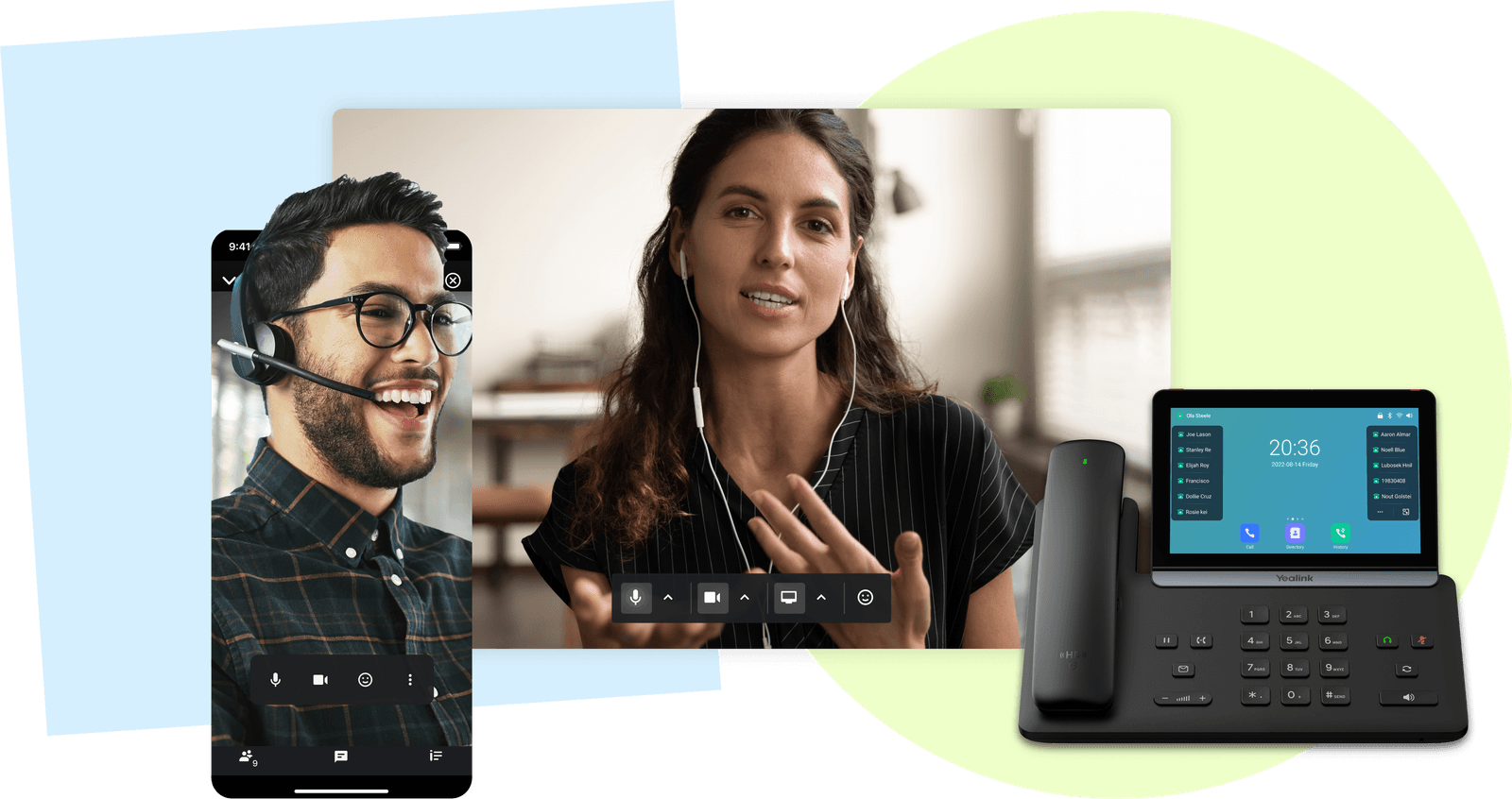
Meretech video meeting next to a touchscreen Yealink desk phone
When the phone system is enough

Meretech Cloud already includes an auto attendant, advanced hunt groups and call queues. For a front desk that answers calls between check-ins, or a sales team that shares a ring group, that covers it.

A contact center earns its cost when some people’s whole job is talking to customers. You see it when customers reach you on more than one channel, when hold times matter enough to measure, and when a supervisor needs to see the queue instead of guessing at it.

If you’re not sure, start with the phone system. The contact center is an add-on to the same platform, so adding it later doesn’t mean switching providers.

Storm season and the calls that come with it

In South Florida, call volume isn’t steady. After a storm, insurance agencies, property managers and contractors get days of calls at once, often while the office itself is closed.

Because the contact center runs in the cloud, agents can take calls and messages from home. The live dashboard shows how many callers are waiting, so a supervisor can pull more people onto the queue and see hold times come down.

We set up the routing and backup rules during installation, so nobody is building them while the queue is full.

Handling card numbers and patient details

Medical offices, billing teams and anyone taking payments over the phone hear sensitive information all day. AI transcription with PHI, PII and PCI redaction removes health details, personal information and card numbers from transcripts automatically.

Archiving can be extended up to 10 years for offices that need longer records. Healthcare practices should ask us for the BAA and security documents before patient calls go through the system.

Side by side

Call queues or the contact center?

ComparedMeretech Contact CenterCall queues in Meretech Cloud
Best forTeams whose main job is talking to customersOffices where answering the phone is part of the job
ChannelsVoice, SMS, web chat, email and WhatsApp in one screenVoice calls, plus business texting in the app
RoutingQueues, self-service voice and chat, and the AI receptionistAuto attendant, hunt groups and call queues
Agent toolsAI agent assist and Microsoft Teams embeddedDesk phone, mobile and desktop apps, up to five devices per user
Supervisor viewReal-time dashboards for queue, hold and handle timeQueue and ring group settings
PriceAdd-on, quoted for your teamIncluded in the per-user plan
Both run on the same Meretech platform. The contact center is an add-on to Meretech Cloud, so the rest of the office stays on the same phone system.

Switching

How we set up your contact center

  1. Day one

    Map how customers reach you

    Which channels, how many agents and what your busiest hours look like.

  2. Before you sign

    An itemized proposal

    Phones and contact center seats priced line by line.

  3. Before go-live

    We build the queues

    Routing, self-service menus, the CRM connection and dashboards, tested with your team.

  4. Go-live day

    Agents start taking conversations

    We train agents and supervisors and stay on call while everyone settles in.

Questions about the contact center

What’s the difference between a call center and a contact center?

A call center handles phone calls. A contact center handles every channel your customers use from one screen, which in Meretech Contact Center means voice, SMS, web chat, email and WhatsApp.

How much does a contact center cost?

It’s quoted for your team. The price depends on how many agents you have and which channels and AI features you turn on. It’s an add-on to Meretech Cloud, which is priced per user, month to month, and every line shows on your itemized proposal.

Do we need a contact center for a small team?

Not always. If your staff answer calls between other work, the hunt groups and call queues in Meretech Cloud usually cover it. A contact center makes sense when people spend most of their day on calls, chats and texts, and someone needs to manage the queue.

Does it work with our CRM?

Yes, for many CRMs. The platform integrates with tools including Salesforce, HubSpot and Microsoft Teams. Tell us what you use and we’ll confirm how the connection works before you sign.

Can agents work from home?

Yes. The contact center runs in the cloud, so agents sign in from the office or from home with a computer, a headset and an internet connection. Supervisors see the same live dashboards wherever they are.

Can it keep card numbers and patient details out of transcripts?

Yes. AI transcription can redact PHI, PII and PCI data, which covers health details, personal information and card numbers. If you’re a healthcare practice, ask us for the BAA and security documents before you go live.

Get a quote for your contact center

Tell us how many agents you have and which channels customers use to reach you. We send an itemized proposal, then call to walk you through it.

Rather talk to sales?(305) 390-2787

Build your plan

How many people need a phone?

What do you need most?